LASCON 2013 Report – First Afternoon

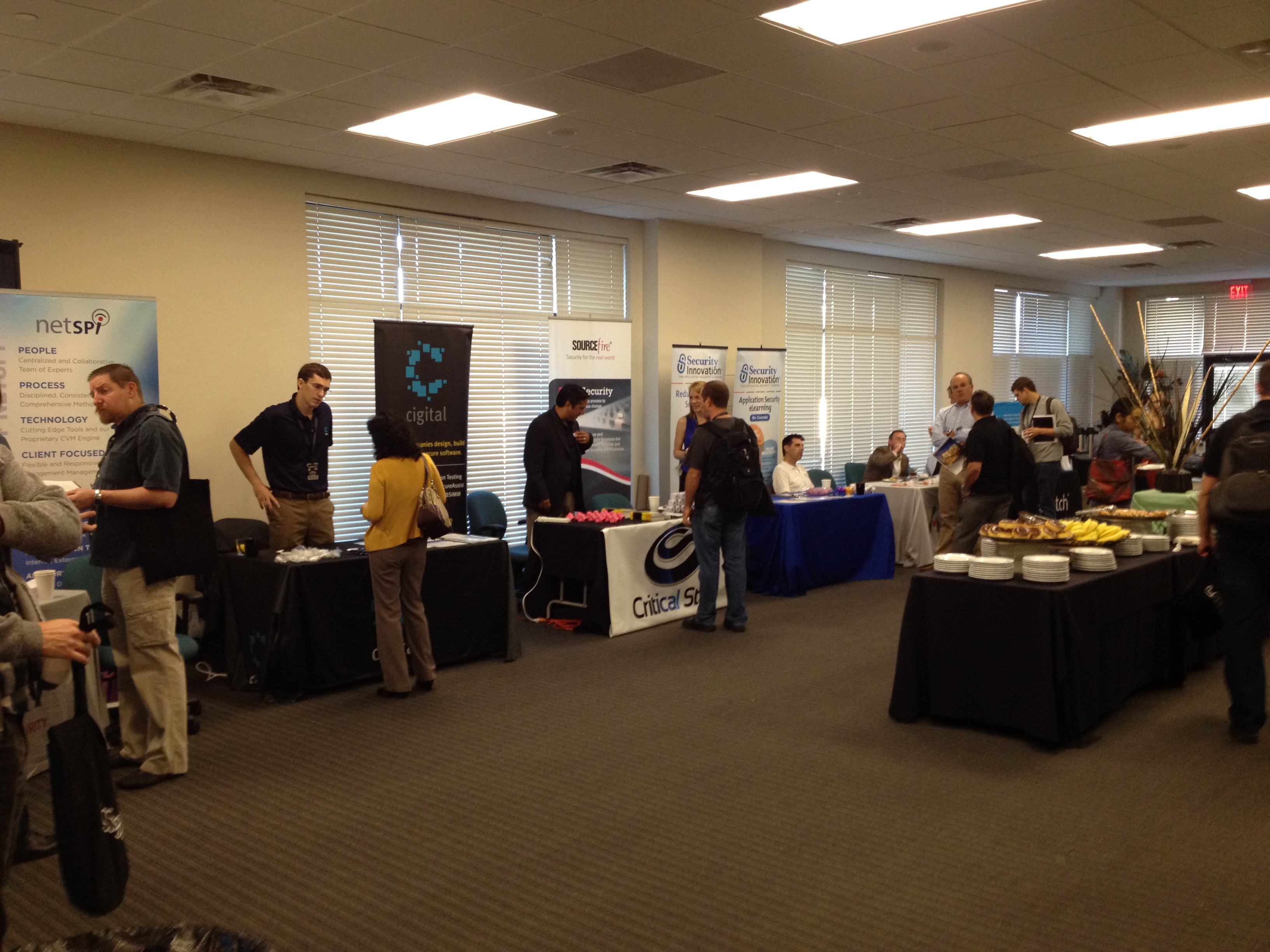
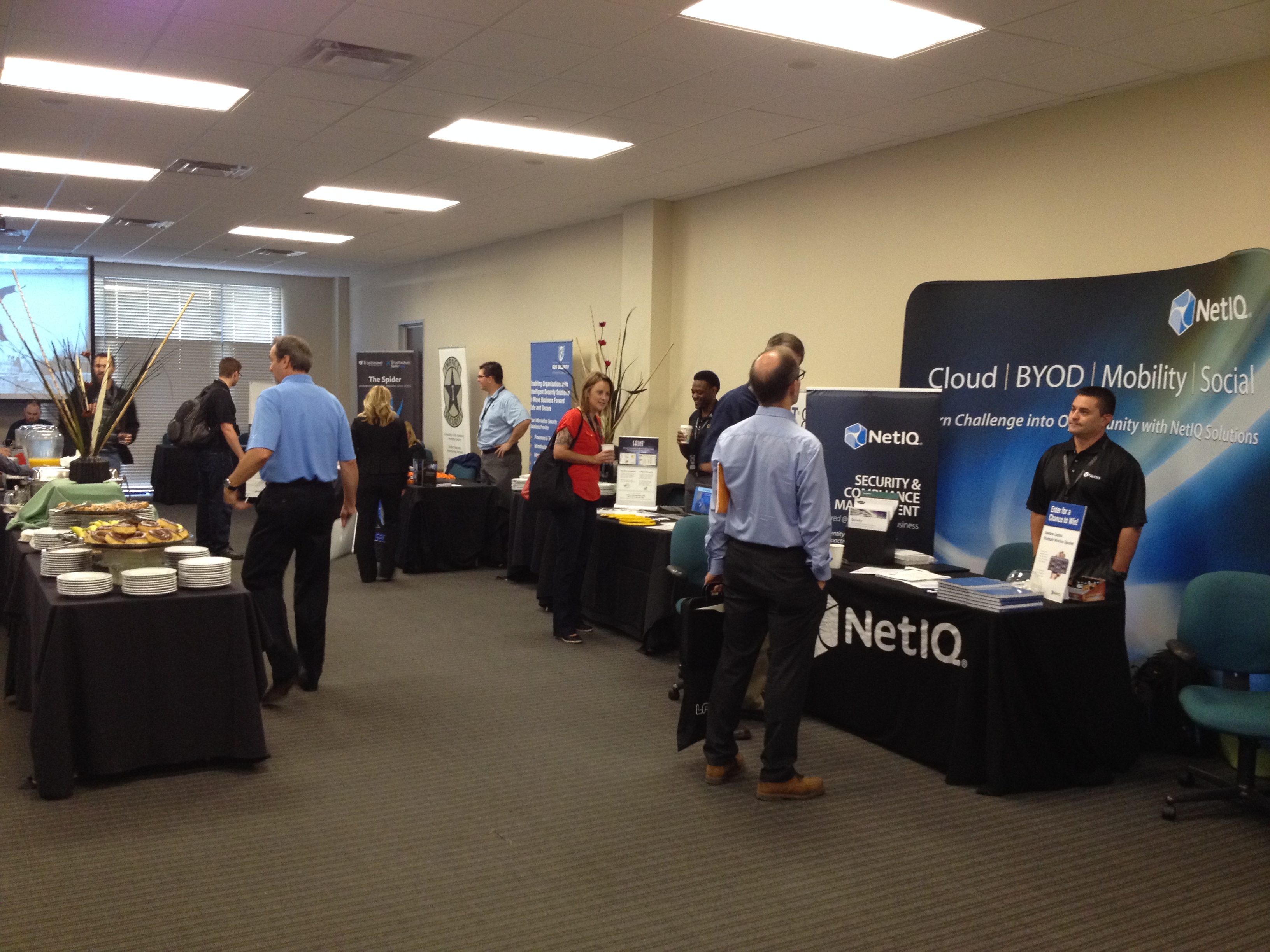
We move into the afternoon of LASCON. The vendor room was all abuzz, complete with lockpicking village.
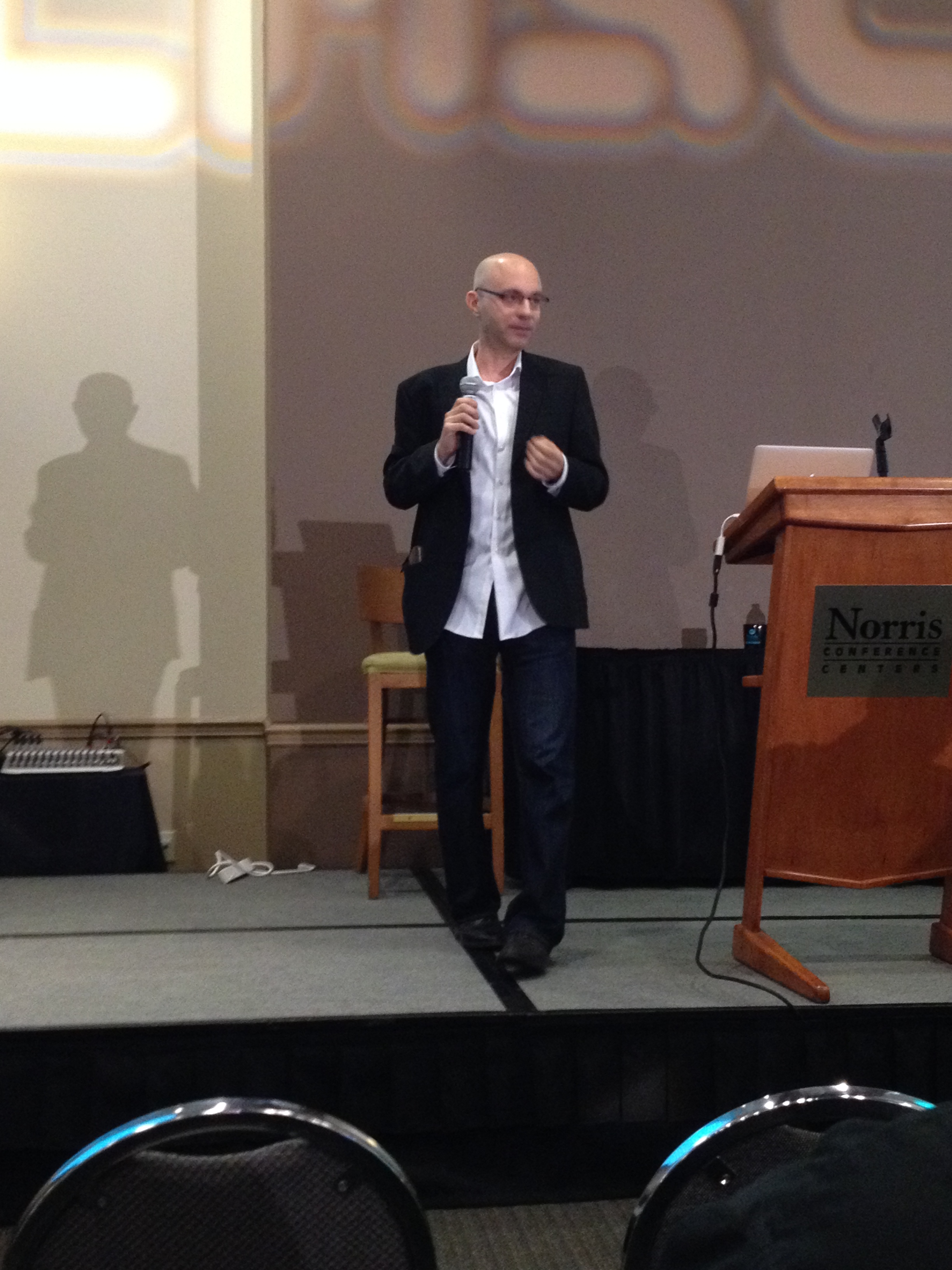
IMG_1477IMG_1478

Stupid Webappsec Tricks

Zane Lackey, Security Engineer Manager from Etsy (@zanelackey)

XSS

Data driven security – look at your data instead of using your presuppositions about how attacks work.

Overwrite common methods but only phone home on interesting payloads.

8477 XSS attempts with mostly alert(), prompt(), confirm() (or multiples thereof). The payloads are mostly what you’d expect, “XSS,” document.cookie, integers (from scanners). Note you can’t match on “document.cookie” because it’ll already be expanded, so look for your domains, unique cookies, etc.

What else detects XSS well?  Chrome’s XSS Auditor. Works great.  But it can defend the user but doesn’t fix the XSS.

Server side attempt –

  1. Scan input for HTML esscapes/tag creation.
  2. If found, set flag to true and create array of hostile input.
  3. At output time, check flag, see if any hostile input is being output as valid HTML.
  4. If hostile input is being output, alert!

Need to fail open, stripping will break your app… And it should take you 20 minutes to push to production so detect to fix is a short path!

SQL Injection

These are attack chains that can be instrumented. Detection step then exploit step.

Alert on SQL syntax errors showing up in your application today. It’s a bug even if it’s not an exploit.

Watch logs for unique sensitive db table names in requests.  Occasional false positives are OK.

A SQL injection exploit response will be huge sized, often larger than is normal, detect that. Whitelist stuff that is supposed to give huge responses.

The more alerts you have in an attack chain the more visibility you have, but false positives happen. But if it’s happening in order down the chain, it’s probably not false.

“Temporary” debug stuff is permanent. How do you find this automatically? Access logs.

Map access logs to code paths. Endpoints that don’t get requests are anomalous. Alert off it then go take it out.

Attacker Trix

Cheapest way to find webapp vulns – Automation. Your best attackers are doing it manually anyway, but may as well beat out the kiddies. Break off-the-shelf scanners. They give off strong detection signals. User agents, request patterns, requests for stuff that doesn’t exist (*.asp or php on a Java site, for example).

Blocking IPs is easy but dangerous. You’ll break lots of legit things. IPs are not a strong correlation to identity.

  1. Classify a request as being from a scanner
  2. If yes, weight based on confidence
  3. Feed request into rate limiter (see Nick G’s rate limiting at scale talk) and drop if above threshold. They return a 439 “Request Not Handmade” 🙂

This doesn’t impact browsing but does scripting. Set your thresholds high; allows for false positives but a scanner will definitely peg it.

Be ready for the weirdness that is the Internet! Tried auto-banning accounts that do scanning. They saw 437 scanners over the last week and only 10 were authenticated and 5 were false positives. Browser plugins is our guess. So don’t auto-ban.

Attacks don’t always happen like you’d expect.  Look at the data before you make decisions. Get the instrumentation you need to make those decisions.

“Run a bug bounty program and the Internet shows up!”

And of course you can then insert false data sets to screw with people and increase the cost of attack.

We don’t run scanners of our own because it’s a time sink and requires manual babysitting. We have taken WAF concepts and build them into the apps; since we deploy 30x/day we don’t need the “coverage in the meanwhile” functionality they provide.

Stalking a City for Fun and Frivolity

By Brendon O’Connor, CTO of Malice Afterthought and law student. About CreepyDOL wifi surveillance. He was wearing a kilt and started out by telling us we’d “lost the mandate of heaven.” Why is this? Well…

Everything leaks too much data. Privacy has been disregarded. Fundamental changes are needed to fix this. We need to democratize security – the government is the worst way to do this.

Especially the case of the US persecuting legitimate security researches like Weev for doing things like accessing public information on Web sites.

Wireless.  Your devices advertise networks they know for all our convenience. His little doodads find your probe list of wifi locations and gps location. Now we need a distributed way of doing this on a large scale with no centralized control. Academic sensor networks are kinda like this, but expensive. Hence, the F-BOMB hardware gizmo.

Raspberry Pi based, 5W, $57.08. Uses connection to municipal wifi to phone home, with automatic portal-clickthrough. Reticle, leaderless command and control software. Uses TOR to go out.

CreepyDOL is distribute computation for distributed systems. Want to digest on the nodes to minimize net traffic. Centralized querying for centralized questions only.  Filters include Nosiness, Observation, and Mining. Visualization using Unity (the game engine). Oh look, you can see a map mashup of people wandering around and click on them and find their name and other useful info.

Bottom line is that all these technologies leak info about you like it’s going out of style and it’s pretty simple to get Orwellian levels of visibility on you for one low price.

Gauntlt

I missed this in favor of the next talk; I’ve seen about a dozen gauntlt presentations over time since I know James, but here’s the slides! Integrate security into your CI pipeline you freaks!

Penetration Testing: The Other Stuff

David Hughes, OWASP Austin president and Red Team analyst for GM.

This started as being about organizational skills… It’s general tips on making your life as a pen tester easier.

  • Clients aren’t always right about their environment and scope creep can happen.
  • Don’t assume you’ll have Internet, there’ll be proxies…
  • Prep your tools and do updates and test it ahead of time.
  • Rehearse your toolchain
  • Title your terminals
  • Use mind maps (Freemind), outline tools (NoteCase Pro) to organize tools, systems
  • HTTP-Screenshot module does screenshots as nmap scans
  • Use output options or pipe to a file
  • Reporting – keep organized, do it as you go, use ASCIIdoc to take text to pdf
  • Do things the easy way – look for low hanging fruit. DEfault credentials, bad passwords, cleartext, social engineering, dumpster diving, open wireless. Easy stuff is higher risk and the client cares more than esoteric crap.
  • Don’t rush recon, look for clues, broken windows
  • Have a plan (PTS framework) but range off as needed
  • Protect your customer’s data
  • Encrypt your stuff
  • Have backups
  • Learn and use a scripting language
  • Don’t rub it in with the client
  • Get involved with the community!

And that’s everything but the drinking… Time for happy hour and the mechanical bull!

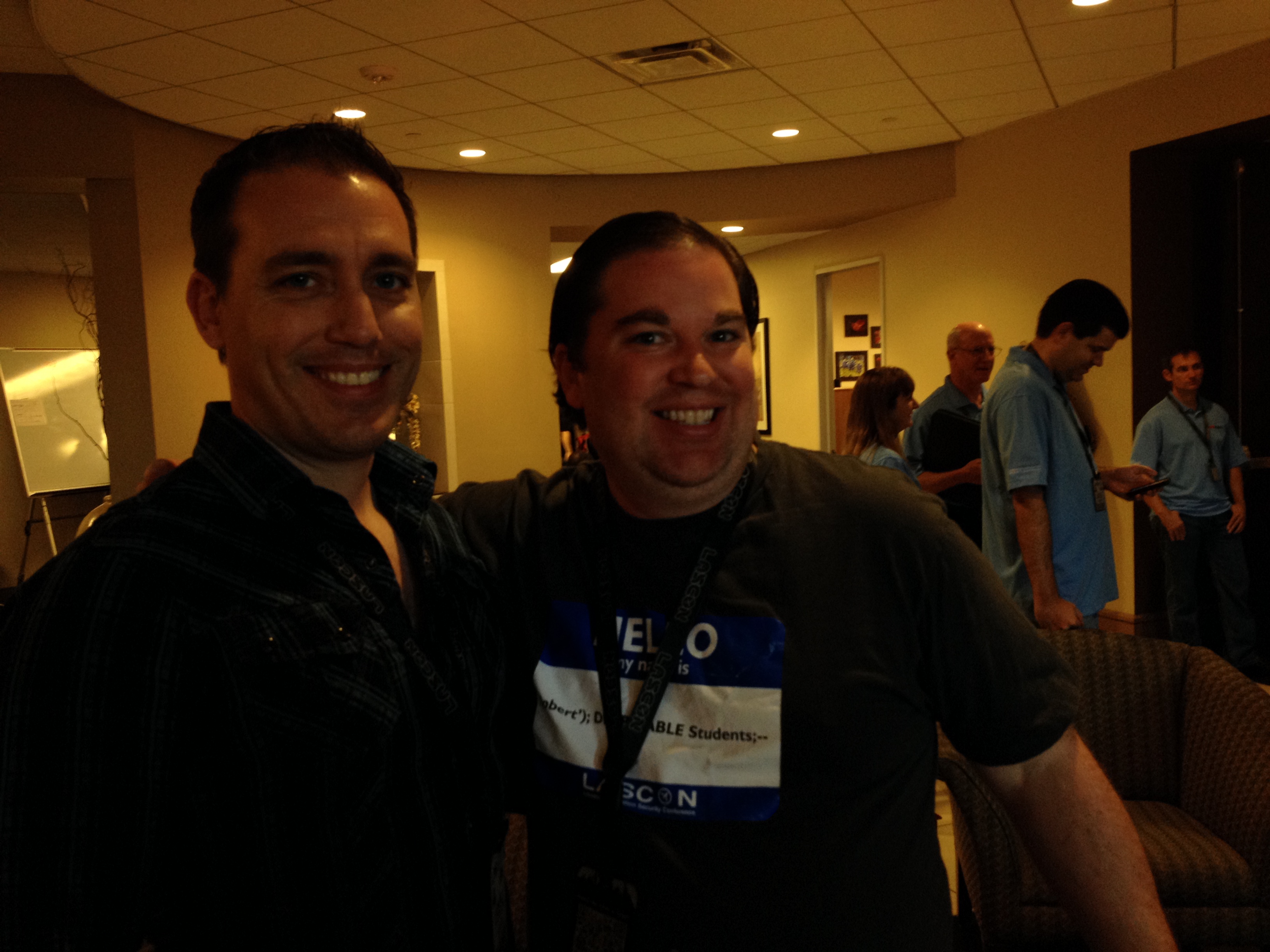
Here’s some pictures of the volunteers hard at work, the speakers’ green room (there were chair massages there in the afternoon!), and organizer Josh Sokol with Robert “RSnake” Hansen!
IMG_1479 IMG_1480 IMG_1476

Leave a comment

Filed under Conferences, Security

LASCON 2013 Report – First Morning

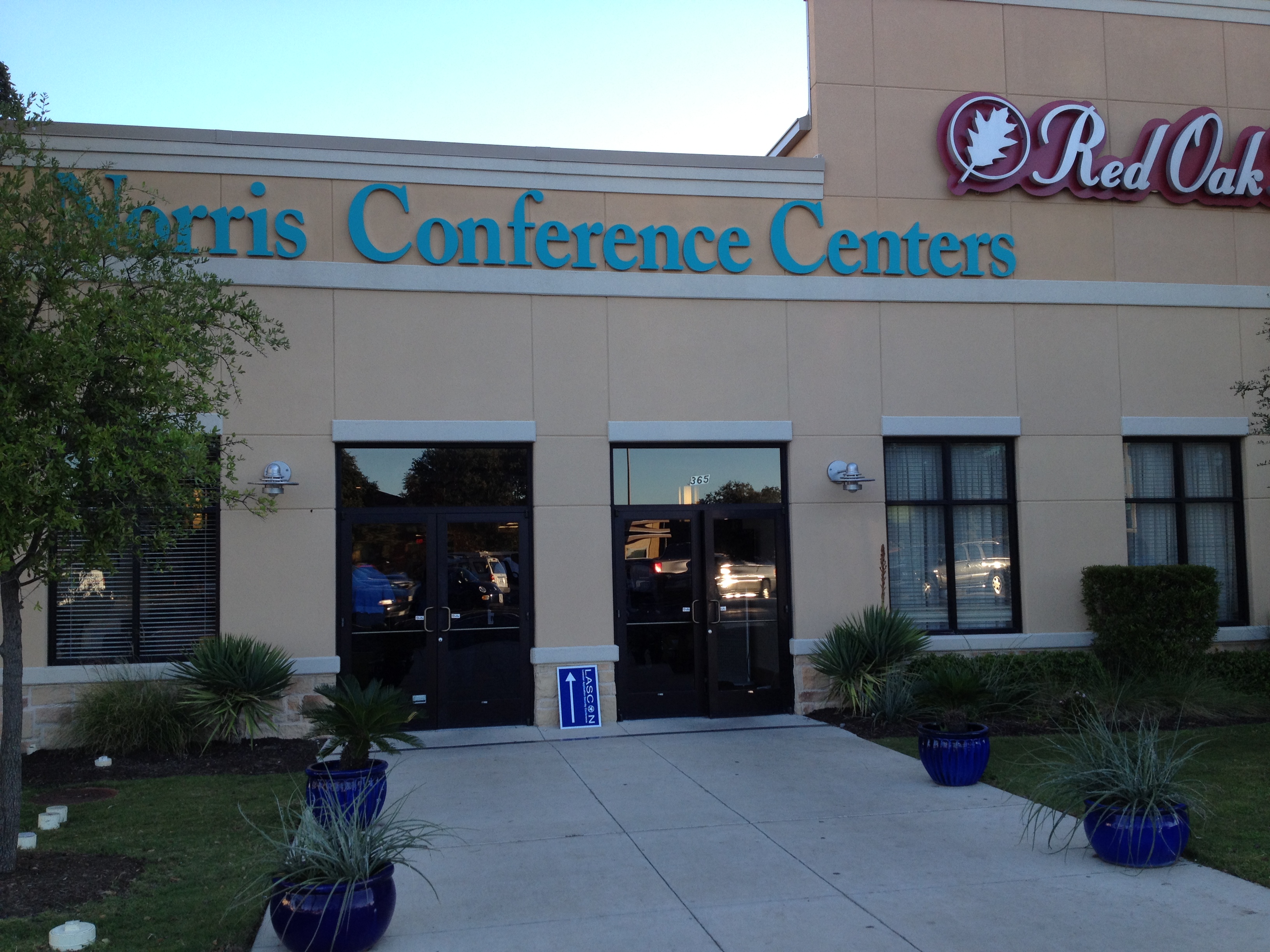
IMG_1475Arriving at #LASCON 2013, hosted as usual at the Norris Conference Center, the first thing you see is the vintage video games throughout the lobby! As usual it’s well run and you get your metal badge and other doodads without any folderol; volunteers packed the venue ready to help folks with anything. I got a lovely media badge since I’m on the hook to blog/tweet it up while I’m there! It’s in a nice central location on Anderson Lane so getting there took a lot less time than my normal commute to work did.

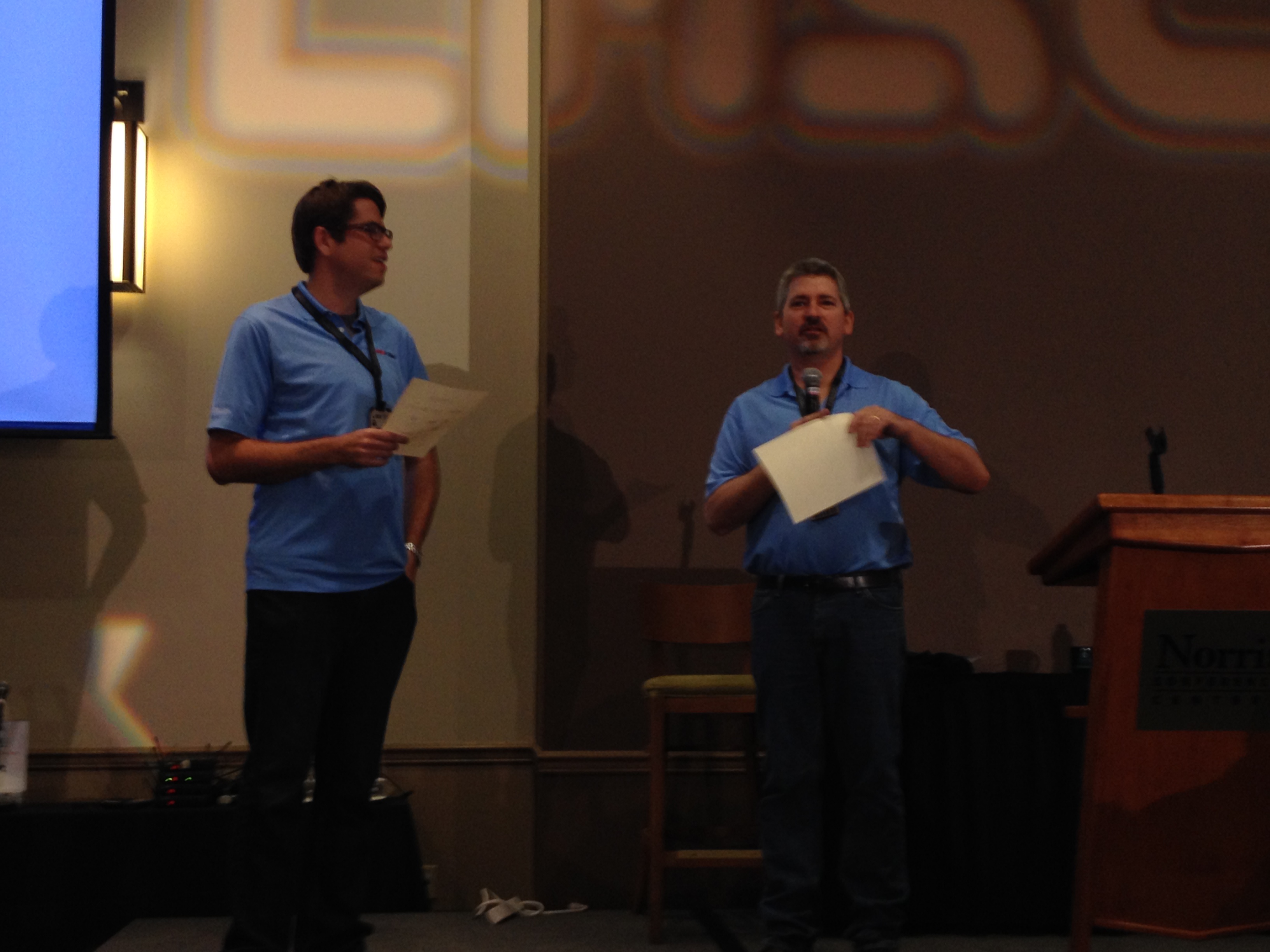
IMG_1481The MCs, James Wickett and David Hughes, got us kicked off. Thanks went out to many the LASCON sponsors!

  • White Hat
  • Qualys
  • Gemalto
  • Trustwave/Spider Labs
  • Critical Start
  • Sourcefire
  • SOS Security

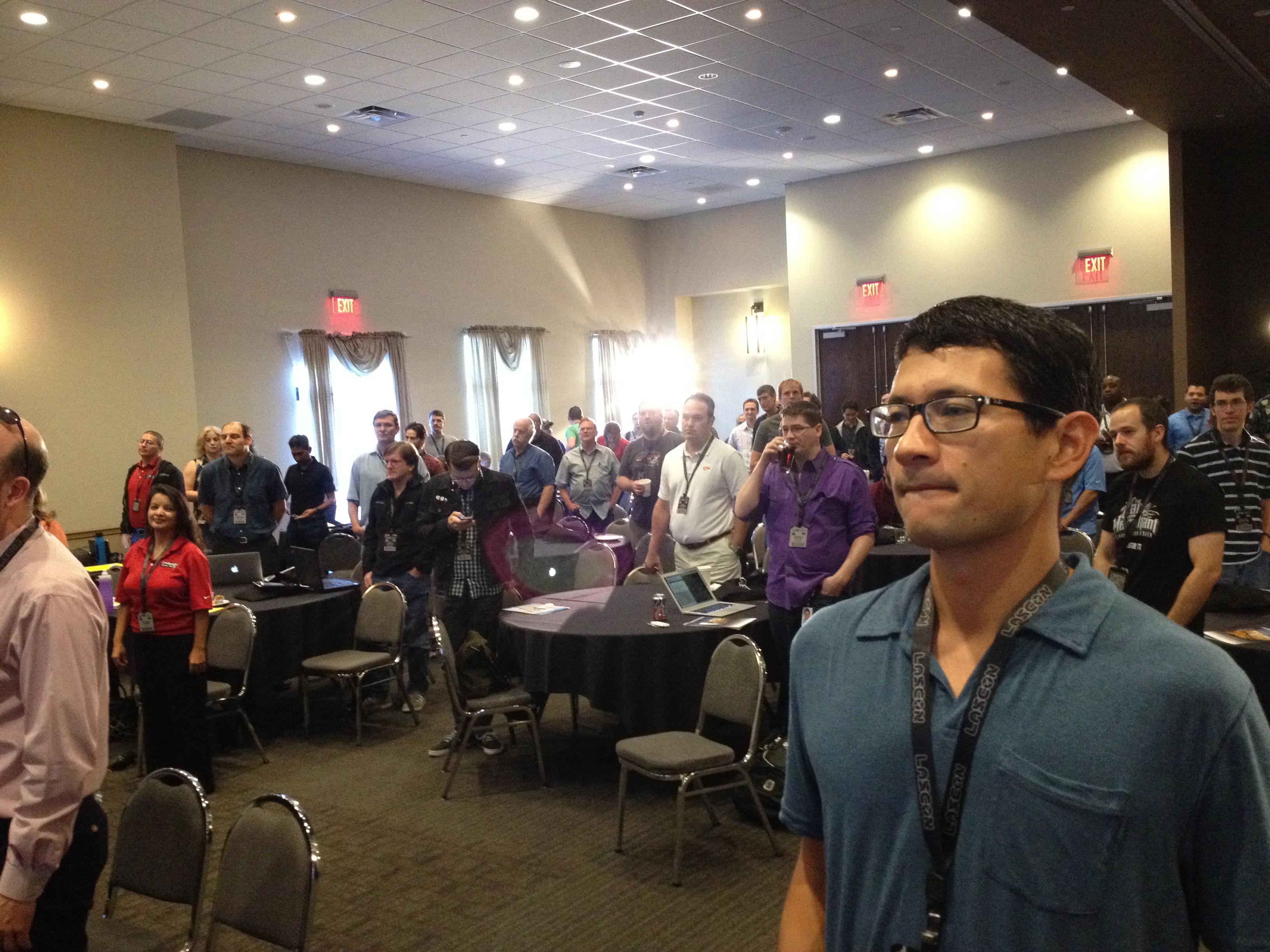
IMG_1482Then everyone stood and raised their right hand to say the “LASCON pledge,” which consists of “I will not hack the Wi-fi,” “I will not social engineer other attendees and the nice Norris Conference Center staff who are hosting us,” and similar.

Then, the keynote!

Keynote- Nick Galbreath, The Origins of Insecurity

IMG_1488Nick Galbreath (@ngalbreath), VP of Engineering at Iponweb. He used to work for Etsy, now he works in Tokyo for a Russia-based ad infrastructure company.  Suck that, Edward Snowden.

Slides at speakerdeck.com/ngalbreath!

If you’re in security, you should be bringing someone else from dev or ops or something here! We can’t get much done by ourselves.

Crypto

There’s a lot of consternation about crypto and SSL and PKI lately. The math is sound!  See FP’s “The NSA’s New Code Breakers” – it’s way easier to get access other ways. I don’t know of any examples of brute forcing SSL keys – it’s attacking data at rest or bypassing it altogether.

But what about the android/bitcoin break and alleged fix re: Java SecureRandom PRNG? I can’t find the fix checked in anywhere.  Let’s look at SHA1PRNG. Where’s the spec? You’re forced to use it, where’s the open implementation, tests…

Basically everything went wrong in specification, implementation, testing, review, postmortem… Then the NIST’s Dual-EC-DRBG spec – slow and with a potential backdoor – but at least it’s not required by FIPS!  It’s broken but not mandatory and we know it’s broken, so fair enough. It’s a “standard turd.” Standards aren’t a replacement for common sense. Known turdy in 2007.  Why are you just removing it now? TLS 1.2 was approved in 2008, why don’t all browsers support it and no browsers support GCM mode? Old standards need augmentation and updates.

Fixing the CA system – four great ways, certificate pinning, pruning, HTTPS Strict-Transport-Security, certificate-transparency.org.

Everything Else

  • Network Security – stuff you didn’t write
  • App Security – stuff you did write
  • Endpoint Security – stuff you run

IT internal tech is mostly Windows/Mac CM and patching, 99% C-based stuff.

Tech Ops – Routers, Linux, Core server (all C too)

Dev:

  • Input validation – not hard
  • Configuration problems
  • Logical problems – more interesting
  • Language platform problems (most patches here also in C!)

Reactive work is patching, CM, fixing apps, patching infrastructure. You can focus your patching though – Win7 at current patches, Flash, Adobe, Java will get 99% of your problems, focus there – but it’s hard to do. But either you can do it trivially or it’s really hard.

Learn from the hardest apps to deploy.  The Chrome model of self updating gets 97% of people within a version in 4-6 weeks. Android, not so good- driven more by throwing out phones than any ability to upgrade. They’re chipping stuff away from the OS and making more into apps to speed it up. Apple/iOS just figured out app auto-update. Desktop lags though. WordPress is starting background updates. BSD is automatically installing security updates at first boot.

Releasing faster and safely is a competitive advantage AND makes you more secure.

For desktop upgrades, can’t we do something with containers? Why only one version installed? How can we find out about problems from users faster? How do we make patching and deployment easy for the dumbest users?

Even info on “How do I configure Apache securely” is wide and random on the Web. Silently breaks all the time, and it’s simple compared to firewalls, ssh, VPN, DNS… Rat’s nests full of crap, while it gets easier and easier to put servers on the internet. How can we make it safe to configure a server and keep it secure?

Can we do this for application development? Ruby BrakeMan is great, it does static analysis on commit and sends you email about rookie mistakes. Why not for apache config? (Where did chkconfig go?)

PHP Crypt – great for legacy passwords and horrible for new ones. Approximately 0% chance of a dev getting its configuration right.

See @manicode’s best practices – have a business level API for that.

By default, every language has a non-crypto, insecure PRNG. So people use them. They are used for some science stuff, but seriously if you’re doing physics you’re going to link something else in. Being slightly slower for toy apps that don’t care about security isn’t a big deal. Make the default PRNG secure! And, there’s 100x more people interested in making things fast than making them secure, so make the default language PRNG secure and people will make it faster.

libinjection.client9.com to try to eliminate SQL injection! It’s C, fast, low false positives, plug in anywhere.

Products focus on blocking and offense/intrusion, but leave these areas (actual fixing) uncovered.  Think globally, act locally. Even if you’re not a dev, most open source doesn’t have a security anything – join in!
Write fuzzers, compile with different flags, etc.

So think big, get involved, bring your friends!

Malware Automation

IMG_1490By Christopher Elisan from RSA, aka @tophs.

Total discovered malware is growing geometrically year over year. There are a lot of “DIY malware creation kits” nowadays; SpyEye, Zeus… These are more oriented around online crime; the kits of yesteryear were more about pissing contests about “mine is better than yours” (VCL, PS-MPC). The variation they can create is larger as well.

Armoring tools exist now – PFE CX for example, claims to encrypt, compress, etc. your executable – but all the functions don’t always work and buyers don’t check.  Indetecitbles.net is online and will do it! It was free but now it’s “hidden.”

Use a tool like ExeBundle to bundle up your malware and then share it out via whatever route (file sharing, google play, whatever). Or hacking and overwriting good wares – even those that bother publishing a hash to verify their software often keep it on the same Web site that is already getting hacked to change the executable, so the hash just gets changed too.

So you make your malware with a kit, put it through a crypter a realtime packer, an EXE binder, other armoring tools, then run through QA in terms of on premise and cloud AV, then you’re ready to go.

Targeted vs opportunistic attacks… Delivery is a lot easier when you can target.

Anyway, many of those new malware samples are really just the same core malware run through a different variety of armoring tools. They’re counted as different malware but should get grouped into families; he’s working on that at RSA now.

Besides the variation in malware, domains serving malware can rotate in minutes. Since the malware can be created so quickly it effectively defeats AV by generating too many unique signatures. Reversing has to be done but it takes weeks/months.

Demo: Creating Malware in 2 Minutes!

ZeuS Builder – bang, bot.exe, one every couple seconds. Unique but not hash-unique at this point. They look different on disk and in memory. Then runs Saw Crypter, in seconds it creates multiple samples from one ZeuS sample. Bang, automated generation of billlllllyuns of armored samples.

There’s really just a handful of kits behind all the malware, need new solutions that go after the tools and do signature-less detection.

From Gates to Guardians: Alternate Approaches to Product Security

IMG_1493Jason Chan, Director of Engineering from Netflix, in charge of security for the streaming product. Here are his slides on Slideshare!

Agile, cloud, continuous delivery, DevOps – traditional security doesn’t adapt well to these. We want to move fast and stay safe at Netflix.

The challenges are speed (rapid change) and scale. To address these…

  • Culture – If your culture has moved towards rapid delivery, it’s innovation first. Don’t be “Doctor No” and go against your company culture, you won’t be successful.  Adapt.
  • Visibility – you need to be able to see whats going on in a big distributed system.
  • Automation – no checklists and spreadsheets

At Netflix we do ~200+ pushes to production a day, 40M subscribers, 1000+ devices supported.

Culture

We have a lot of stuff on our site about this, it’s a big differentiator.  “Freedom and responsibility” is the summary. No buck passing. Responsible disclosure program externally.

We’re moving towards “full stack engineers” that know some about appsec, online operations, monitoring and response, infrastructure/systems/cloud – that can write some kind of code. The security industry seems to be moving towards superspecialists, we don’t see that as successful.

2 week sprint model, JIRA Scrum workflow (CLDSEC project!). No standups, weekly midsprint meeting. Bullpen shared-space model.

Visibility

Use their internal security dashboard (VPC, crypto, other services plug in and display their security metrics). Alerts send emails with descriptive subjects, the alert config, instructions/links as to where to check/what to do. Chat integration.

NSA asks, how do you verify software integrity in production?  How do you know you’re not backdoored?

They have their Mimir dashboard that is a CI/CD dashboard, that tracks source code to build to deploy to JIRA ticket. Traceability!

Canary testing because code reviews don’t catch much.  Deploy a new version and test it (regression, perf, security) and see if it’s OK. Automatic Canary Analyzer gets a confidence level – “99% GO!”

Simian Army does ongoing testing. Go to prod… Then the monkeys test it.

Security Monkey shows config change timestamps of security groups and stuff.

So they have Babou (the ocelot from Archer) that does file integrity monitoring. They use the immutable server pattern so checking is kinda easy, but you still can be running multiple canary versions at the same time so there’s not one “golden master.” This allows multiple baselines.

Q: How long did it take to make this change and implement? What were the triggers?
A: This push started when he started in 2011; previously IT security handled product security. He hired his first person last year and now they’re up to 10.

Q: What do you do earlier on in the lifecycle in arch and design (threat modeling etc.)?
A: Can’t be automated, the model here is optionally come engage us (with more aggressiveness for stuff that’s clearly sensitive/SOXey).

Q: So this finds problems but how do people know what to do in the first place, share mistakes cross teams?
A: As things happen, added libraries with training and documentation. But think of it as “libraries.”

Q: Competing with Amazon while renting their hardware? (Laaaaaame, the CEO has talked about this in multiple venues.)
A: AWS is the only real choice. Our CEOs talked.

Next – Lunch!  No liveblog of lunch, you foodie voyeurs!

Leave a comment

Filed under Conferences, Security

Is It a Bug Or A Feature? Who Cares?

Today I’ve been treated to the about 1000th hour of my life debating whether something someone wants is a “bug” or a “feature.”  This is especially aggravating because in most of these contexts where it’s being debated, there is no meaningful difference.

A feature, or bug, or, God forbid, an “enhancement” or other middle road option, is simply a difference between the product you have and the product you want. People try to declare something a “bug” because they think that should justify a faster fix, but it doesn’t and it shouldn’t. I’ve seen so many gyrations of trying to qualify something as a bug. Is it a bug because the implementation differs from the (likely quite limited and incomplete) spec or requirements presented?  Is it a bug because it doesn’t meet client expectation?

In a backlog, work items should be prioritized based on their value.  There’s bugs that are important to fix first and bugs it’s important to fix never.  There’s features it’s important to have soon and features it’s important to have never.  You need (and your product people) need to be able to reconcile the cost/benefit/risk/etc across any needed change and to single stack-rank prioritize them for work in that order regardless of the imputed “type” of work it is.  This is Lean/Agile 101.

Now, something being a bug is important from an internal point of view, because it exposes issues you may have with your problem definition, or coding, or QA processes. But from a “when do we fix it” point of view, it should have absolutely no relation. Fixing a bug first because it’s “wrong” is some kind of confused version of punishment theory. If you’re distinguishing between the two meaningfully in prioritization, it’s just a fancy way of saying you like to throw good money after bad without analysis.

So stop wasting your life arguing and philosophizing about whether something in your backlog is a bug or enhancement or feature.  It’s a meaningless distinction, what matters is the value that change will convey to your users and the effort it will take to perform it.

I’m not saying one shouldn’t fix bugs – no one likes a buggy product.  But you should always clearly align on doing the highest leverage work first, and if that’s a bug that’s great but if it’s not, that’s great too.  What label you hang on the work doesn’t alter the value of the work, and you should be able to evaluate value, or else what are you even doing?

We have a process for my product team – if you want something that’s going to take more than a week of engineer time, it needs justification and to be prioritized amongst all the other things the other stakeholders want.  Is it a feature?  A bug?  A week worth of manual labor shepherding some manual process? It doesn’t matter.  It’s all work consuming my high value engineers, and we should be doing the highest value work first.  It’s a simple principle, but one that people manage to obscure all too often.

12 Comments

Filed under General

The Agile Admin at SXSW, we need your help

Right in the Agile Admin’s hometown (Austin, TX) is one of the coolest conferences out there–it is a special place where hipsters and venture capitalists and programmers and designers and gamers unite.  The Agile Admin team is always at SXSW usually in search of new tech and ideas and more often in search of free drinks. This year is gonna be different. This year, James submitted a talk on Rugged Driven Dev and if the talk gets enough votes, the Agile Admin will be represented in the SXSW Interactive lineup.

We need your vote to make it happen. We would love to help the aforementioned hipsters find out about all the cool stuff going on in the Rugged and DevOps communities and bring them into the fold.

Would you vote for the talk?  It only takes a few seconds to create an account and vote.  You can cast your vote here > http://panelpicker.sxsw.com/vote/19539

2 Comments

Filed under DevOps

Sustaining vs Strangulation

The other day I came across two interesting articles that showcase two facets of one problem (and more notably, a problem that I have been working on myself). Read the two articles, they are:

I manage a large mostly-sustaining team here at Bazaarvoice that I’ve moved to Agile and DevOps. As Matt points out, sustaining teams are problematic in theory. The strangulation approach, especially the airline booking app “single trunk” approach, is better from a number of perspectives. But, our org made the decision to put all the legacy work with a sustaining team so that the many teams of new-product devs would be able to get maximum speed. It did allow for greater speed of new development to not have to do support at the same time. However, it also provided significant challenges – initially underestimating the effort needed to sustain, new teams not having the benefit of the lessons old team already learned from running at scale, sustaining teams feeling like second class citizens, other teams being tempted to shed even newer work to the sustaining team (even though it’s technically just for the one product).   I can’t prove that taking the strangulation vs sustaining approach would have been better, but in retrospect, I would want to try that instead.  We are strangling old vs new product from a customer-facing point of view in terms of dialing up new products/dialing down old ones instead of doing “big bang” upgrades, but we’re not doing it inside a single team/single trunk model like Matt mentions and it seems like that could mitigate many of these issues.

We are making the best of the sustaining gig on our team, however. It’s not light work or lacking in innovation. We run support requests through a kanban and then have two scrum-type sprint teams for CI and occasional feature work, plus lots of infrastructure work. We dole out up to a billion hits a day and have a reach of 400M+ users, with traffic and data volume doubling year over year, so we are in the interesting position of being largely frozen in terms of features, how most product managers understand them (pretty buttons!), but having to innovate and rearchitect quite aggressively on all our “nonfunctional” areas (performance, availability, security, etc.). When people tell us we’re “feature frozen” I tell them they have a poor understanding of the word “feature,” or maybe they should think about “changes” rather than “features.” This is one of the key DevOps culture change points many orgs have to face, and educating PMs and upper management on a more holistic definition of “feature” that includes managing nonfunctional requirements is a key success factor.

We’re also doing a number of the things Matt’s article encourages to make sustaining work engaging. We push hard on customer satisfaction (we are riding at 99% of customer tickets fulfilled within SLA; we have a big dashboard with leaderboards that promote that), empower the team to perform continuous improvement to make the system better, and consult with the “next gen” teams on their work. As a result we have really good results, really good relationships with the Implementation and Support groups outside Engineering, and pretty good team morale. Of course, general recognition and stuff like that so that everyone sees and appreciates the team’s work helps.

Though in the end, we are also trying to outsource the sustaining work so that our engineers aren’t all sad from having to do it. (Our current team soldiers on because they know the company depends on them, but other engineers in the company don’t want to do move over to do sustaining work,.)  So… There’s that.  Our job is to juggle the desire of employees to move off sustaining plus the desire of other teams to get those employees and developing the outsourcers’ expertise with the needs of maintaining the legacy app with the excellence required.

From what I’ve learned from this, I believe a solid product renewal plan would involve:

a) Teams that own services, not apps or projects (ITSM/ITIL 101).

b) Those teams own the design, development, sustaining, operations, deployment, and whatever other task you want to apply to the product – from conception to delivery.

c) Every app and library and service and tool has to be owned by an appropriate service team, regardless of what engineer moved to what team or corporate reprioritization happened or whatever completely-legitimate corporate sob story you have.

d) Then if you need to make a major sea change, you employ the strangulation method to transition effort on a team, not using a separate sustaining team.

The risk with this approach is that a team gets filled up with sustaining work.  But that is a chance for them to eat their own dog food. Go fix whatever’s causing that sustaining work! Retire the stuff that doesn’t make sense any more!  Passing completed items off into a black hole for “sustaining” chews up just as much resources and time, it just provides the convenient fiction that since you can’t see it, it must not be affecting your velocity.

What do you think?  How have you approached this problem?  Am I on crack? Let me know.

Leave a comment

Filed under DevOps

Scrum for Operations: How We Got Started

Welcome to the newest article in Scrum for Operations. I started this series when I was working for NI. But now I’m going through the same process at BV so time to pick it back up again! Like my previous post on Speeding Up Releases, I’m going to go light on theory and heavy on the details, good and bad, of how exactly we implemented Agile and DevOps and where we are with it.

Here at BV (Bazaarvoice), the org had adopted Agile wholesale just a couple months before I started. We also adopted DevOps shortly after I joined by embedding ops folks in the product teams.  Before the Agile/DevOps implementation there was a traditional organization consisting of many dev teams and one ops team, with all the bottlenecking and siloing and stuff that’s traditional in that kind of setup.  Newer teams (often made up of newly hired engineers, since we were growing quickly) that started out on the new DevOps model picked it up fine, but in at least one case we had a lot of culture change to do with an existing team.

Our primary large legacy team is called the PRR team (Product Ratings and Reviews) after the name of their product, which now does lots more than just ratings and reviews, but naturally marketing rebranding does little to change what all the engineers know an app is called. Many of the teams working on emerging greenfield products that were still in development had just one embedded ops engineer, but on our primary production software stack, we had a bunch. PRR serves content into many Internet retailer’s pages; 450 million people see our reviews and such. So for us scalability, performance, monitoring, etc. aren’t a sideline, they’re at least half of the work of an engineering team!

This had previously been cast as “a separate PRR operations team.” The devs were used to tossing things over the wall to ops and punting on the responsibility even if it was their product, and the ops were used to a mix of firefighting and doing whatever they wanted when not doing manual work the devs probably should have automated.

I started at BV as Release Manager, but after we got our releases in hand, I was asked to move over to lead the PRR team and take all these guys and achieve a couple major goals, so I dug in.

Moving Ops to Agile

I actually started implementing Agile with the PRR Ops team because I managed just them for a couple months before being given ownership of the whole department. I had worked closely with many of them before in my release manager role so I knew how they did things already. The Ops team consisted of 15 engineers, 2/3 of which were in Ukraine, outsourced contractors from our partner Softserve.

At start, there was no real team process.  There were tickets in JIRA and some bigger things that were lightly project managed. There was frustration with Austin management about the outsourcers’ performance, but I saw that there was not a lot of communication between the two parts of the team. “A lot of what’s going bad is our fault and we can fix it,” I told my boss.

Standups

A the first process improvement step, I introduced daily standups (in Sep 2012). These were made more complicated by the fact that we have half of our large team in Ukraine; as a result we used Webex to conduct them. “Let’s do one Austin standup and one Ukraine standup” was suggested – but I vetoed that since many of the key problems we were facing were specifically because of poor communication between Austin and Ukraine. After the initial adjustment period, everyone saw the value of the visibility it was giving us and it became self-sustaining.  (With any of these changes, you just have to explain the value and then make them do it a little while “as a pilot” to get it rolling. Once they see how it works in practice and realize the value it’s bringing, the team internalizes it and you’re ready for the next step.) Also because of the large size and international distribution I did the “no-no” of writing up the standup and sending the notes out in email.  It wasn’t really that hard, here’s an example standup email from early on:

Subject: PRR Infrastructure Daily Standup Notes 11/05/2012

Individual Standups
(what you did since last standup, what you will do by the next standup, blockers if any)

Alexander C – did: AVI-93 dev deploy testing of c2, release activity training; will do: finish dev c2, start other clusters
Anton P – did: review AVI-271 sharded solr in AWS proxy, AVI-282 migrating AWS to solr sharding; will do: finish and test
Bryan D – did: Hosted SEO 2.0 discussion may require Akamai SSL, Tim’s puppet/vserver training, DOS-2149 BA upgrade problems, document surgical deploy safety, HOST-71 lab2 ssh timeout, AVI-790, 793 lab monitoring, nexus errors; will do: finish prep Magpie retro, PRR sprint planning, Akamai tickets for hosted SEO, backlog task creation.
Larry B – did: MONO-107,109 7.3 release branch cut, release training; will do: AVI-311 dereg in DNS (maybe monitoring too?)
Lev P – did: deploy script change testing AVI-771; will do: more of that
Oleg K – did: review AVI-676 changes, investigate deployment runbooks/scripts for solr sharding AVI-773; to do: testing that, AVI-774 new solr slaves
Oleksandr M – did: out Friday after taking solr sharding live; will do: prod cleanup AVI-768, search_engine.xml AVI-594
Oleksandr Y – did: AVI-789 BF monitoring, had to fix PDX2 zabbix; will do: finish it and move to AVI-585 visualization
Robby M – did: testing AVI-676 and communicating about AWS sharding; will do: work with Alex and do AVI-698 c7 db patches for solr sharding
Sergii V – did: AVI-703 histograms, AVI-763 combining graphs; will do: continue that and close AVI-781 metrics deck
Serhiy S – did: tested aws solr puppet config AVI-271, CMOD stuff AVI-798, AVI-234
Taras U – did: tested BVC-126599 data deletion. Will do: pick up more tickets for testing
Taras Y – did: AVI-776 black Friday scale up plan, AVI-762 testing BF scale up; will do: more scale up testing
Vasyl B – did: MONO-94 GTM automation to test; will do: AVI-770 ftp/zabbix thing
Artur P – did: AVI-234 remove altstg environment, AVI-86 zabbix monitoring of db performance “mikumi”; will do: more on those

For context, while this was going on we were planning for Black Friday (BF) and executing on a large project to shard our Solr indexes for scaling purposes. The standup itself brought loads of visibility to both sides of the team and having the emails brought a lot of visibility to managers and stakeholders too. It also helped us manage what all the outsourcers were doing (I’ll be honest, before that sometimes we didn’t know what a given guy in Ukraine was doing that week – we’d get reports in code later on, but…).

I took the notes in the standup straight into an email and it didn’t really slow us down (I cheated by having the JIRA project up so I could copy over the ticket numbers). Because of the number of people, the Webex, and the language barrier the standups took 30 minutes. Not the fastest, but not bad.

Backlog

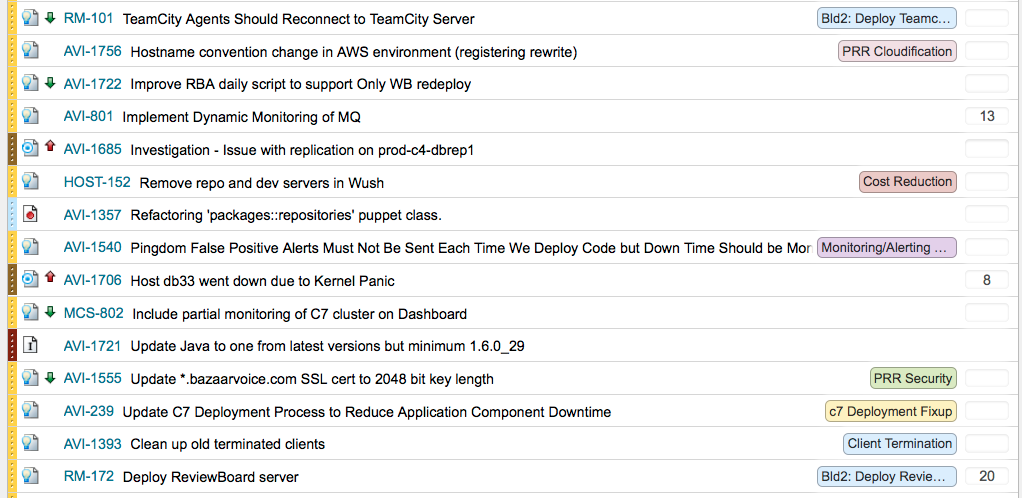
After everyone got used to the standups, I introduced a backlog (maybe 2 weeks after we started the standups). We had JIRA tickets with priorities before, but I added a Greenhopper Scrum style backlog. Everyone got the value of that immediately, since “we have 200 P2 tickets!” is obviously Orwellian at best. When stakeholders (my boss, other folks) had opinions on priorities we were able to bring up the stack-ranked backlog and have a very clear discussion about what it was more or less urgent/important than. (Yes, there were a couple yelling matches about “it’s meaningless to have five ‘top priorities!'” before we had this.) Interrupt tickets would just come in at the top.

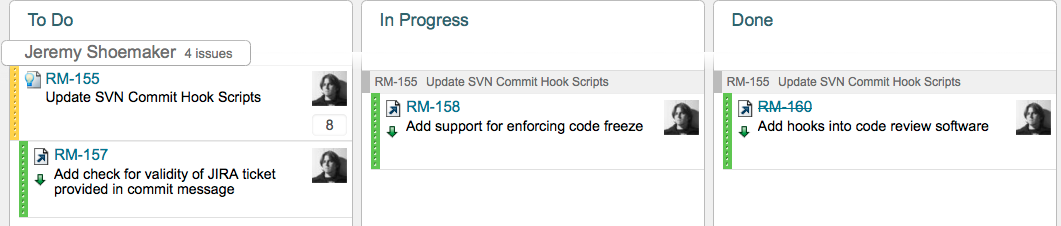
Here’s a clip of our backlog just to get the gist of it…

Screen Shot 2013-07-18 at 6.02.33 PMAll the usual work… just in a list.  “Work it from the top!” We still had people cherry-picking things from farther down because “I usually work on builds” or “I usually work on metrics” but I evangelized not doing that.

Swimlanes

Using this format also gave me insight into who was doing what via the swimlanes view in JIRA.  When we’d do the standup we started going down in swimlane order and I could ask “why I don’t see that ticket” or see other warning signs like lots of work in progress.  An example swimlane:

Screen Shot 2013-07-18 at 6.24.53 PM


This helped engineers focus on what they were supposed to be doing, and encouraged them to put interrupts into the queue instead of thrashing around.

Sprints

Once we had the backlog, it was time to start sprinting! We had our first sprint planning meeting in October and I explained the process. They actually wanted to start with one week sprints, which was interesting – in the dev world often times you start in with really long (4-6 week) sprints and try to get them shorter as you get more mature.  In the ops world, since things are faster paced, we actually started at a week and then lengthened it out later once we got used to it.

The main issue that troubled people was the conjunction of “interrupt” tickets with proactive implementation tickets.  This kind of work is why lots of people like to say “Ops should use kanban.”

However, I learned two things doing all this.  The first is that for our team at least, the lion’s share of the work was proactive, not reactive, especially if you use a 1-2 week lookahead. “Do they really need that NOW, or just by next sprint?” Work that used to look interrupt driven under a “chaos plus big projects” process started to look plannable. That helped us control the thrash of “here’s a new urgent request” and resist it breaking the current sprint where possible.

Also, the amount of interrupt work varies from day to day but not significantly for a large team over a 1-2 week period.  This means that after a couple sprints, people could reliably predict how many points of stories they could pull because they knew how much time got pulled to interrupt work on average. This was the biggest fear of the team in doing sprint planning – that interrupt work would make it impossible to plan – and there was no way to bust through it except for me to insist that we do a couple sprints and reevaluate.  Once we’d done some, and people learned to estimate, they got comfortable with it and we’ve been scrumming away since.

And the third thing – kanban is harder to do correctly than Scrum.  Scrum enforces some structure. I’ve seen a lot of teams that “use kanban” and by that they mean “they do whatever comes to mind, in a completely uncontrolled manner,” indistinguishable from how Ops used to do things. Real kanban is subtle and powerful, and requires a good bit of high level understanding to do correctly. Having a structure helped teach my team how to be agile – they may be ready for kanban in another 6 months or so, perhaps, but right now some guard rails while they learn a lot of other best practices are serving us well.

Poker Planning

After the traditional explanation (several times) about what story points are, people started to get it. We used planningpoker.com for the actual voting – it’s a bit buggy but free, and since sprint planning was also 15 people on both (or more) sides of a Webex, it was invaluable.

Velocity

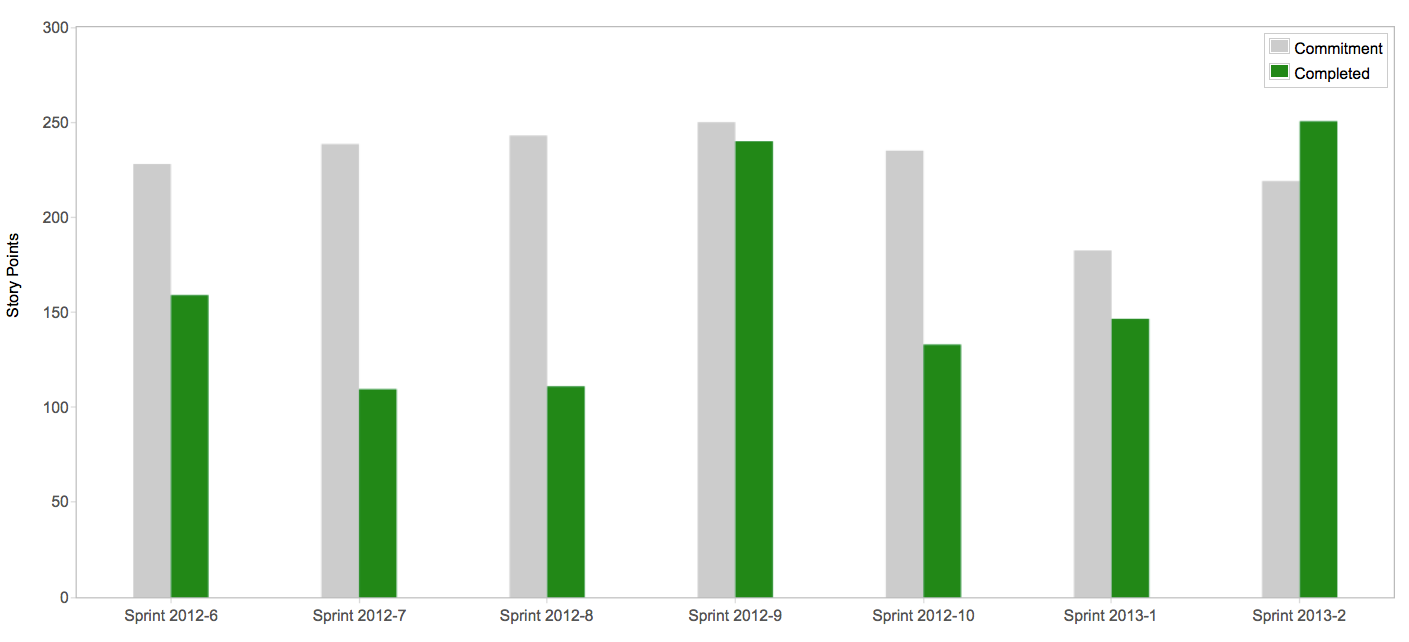
It’s hard to argue with success.  We watched the team velocity, and it basically doubled sprint to sprint for the first 4 sprints; by the end of November we were hitting 150 story points per sprint. I wish I had a screen cap of the velocity from those original sprints; Greenhopper is a little cussed and refuses to show you more than 7 sprints back, but it was impressive and everyone got to see how much more work they were completing (as opposed to ‘doing’).  I do have one interesting one though:

Screen Shot 2013-02-01 at 11.12.19 AMThis is our 6th and following sprints; you see how our average velocity was still increasing (a bit spikily) but in that last sprint we finally got to where we weren’t overpromising and underdelivering, which was an important milestone I congratulated the team on. Nowadays their committed/completed numbers are always very close, which is a sign of maturity.

Just Add Devs – False Start!

After the holiday rush, they asked me and another manager, Kelly, to take over the dev side of PRR as well, so we had the whole ball of wax (doubling the number of people I was managing). We tried to move them straight to full Scrum and also DevOps the team up using the embedded ops engineer model we were using on the other 2.0 teams.  PRR is big enough there were enough people for four subteams, so we divided up the group into four sprint teams, assigned a couple ops engineers to each one, and said “Go!”.

This went over pretty much like a lead balloon. It was too much change too fast.  Most of the developers were not used to Agile, and trying to mentor four teams at once was difficult. Combined with that was the fact that most of the ops staff was remote in Ukraine, what happened was each Austin-BV-employee-led team didn’t really consider “those ops guys” part of their team (I look around from my desk and see four other devs but don’t see the ops people… Therefore they’re not on my team.)  And that ops team was used to working as one team and they didn’t really segment themselves along those lines meaningfully either.  Since they were mostly remote, it was hard to break that habit. We tried to manage that for a little while, but finally we had to step back and try again.

Check back soon for Scrum for Operations: Just Add DevOps, where I reveal how we got Agile and DevOps to work for us after all!

17 Comments

Filed under Agile, DevOps

Scrum for Operations: Fitting In As An Ops Engineer

So far in this series, I’ve introduced the basics of Scrum as it generally is used and explained the practices that make it extremely successful. But that’s for developers, right? If you are in operations, what does this mean to you? How do you fit in? For an ops person, the major challenges are mental – you have to reorient your way of thinking, and then things drop into place very well.

I’m writing from the perspective of a Web operations guy, though I’ve done more traditional sysadmin work and managed infrastructure (and dev) teams over time (and started off as a dev, many years ago). Some of my terminology is oriented towards creating a product and keeping a Web site up, but you should be able to conceptually substitute your own kind of system, just as all different kinds of developers, not just Web developers, use and benefit from agile.

The Team

First, “DevOps.” Get an Ops person assigned to the dev team. This is fundamental – if it’s an externalized relationship, where the dev team is making requests of your “Infrastructure org”, you will not be seen as part of the team and your effectiveness will be extremely diminished. You need to be more or less dedicated to this project, not handling it from some shared work queue. This reinforces the fundamental values of Agile. You join the team, and you dedicate yourself to the overall success of the product you are working on. It is this integration, and the trust that arises from shared goals, that will remove a lot of the traditional roadblocks you are used to facing when dealing with a dev team. A real agile team should have similarly embedded product, QA, and UX folks, it’s not a new idea.

You are not “a UNIX guy” or “A DBA” any more.  You are “a member of the Ratings and Reviews team,” and you happen to have a technical specialty. This may seem like sophistry but it’s actually one of the most critical parts of this cultural transformation.

The Backlog

Start thinking of tasks in a customer-feature-facing kind of way for the backlog. For example, no one but you wants to hear about “configuring the SAN,” they want to know that at the end of the sprint “customers will be able to save files to persistent storage.” If what you’re doing doesn’t have any benefit to the end customer – why are you doing it again? You shouldn’t be.

Figure out how to state operational concerns like performance, maintainability, and availability as benefits in the backlog. Some infrastructure stuff belongs in the backlog, other parts of it belong more in standards (e.g. the team Definition of Done now states you have to have monitoring on a new service…). The product manager and dev team aren’t dumb, they will understand that performance, availability, security, ability to release their software, etc. are important goals that have merit in the backlog. The typical story-lingo is “As an X, I want Y so I can do Z.” “As a client, I want my data backed up so that in the case of a disaster, I am minimally affected.” “As an engineer, I want the uptime state of my services monitored so I can ensure customers are being served.”

You will be challenged (and this is good) on items that are “monkey work.”  “I need to go delete log files off that server, so it doesn’t crash.” Hey, why are we doing that?  Why is it manual? Should we have a story for proper log rotation? Need a developer to help? You will see a virtuous cycle develop to “fix things right.” Most of the devs haven’t seen a lot of the demeaning stuff you’re asked to do, and they’ll try to help fix it.

The Sprint

I’ll be honest, the first time I was confronted with the prospect of breaking up systems work into sprints I thought it was very unlikely it could be done. “Things are either short interrupts or long projects, right, that doesn’t make any sense.” And then I did it, and the scales dropped from my eyes. Remember refactoring. Developers doing agile are used to refactoring, while we are used to only having “one bite at the apple” – if we don’t get the systems all 100% right before we unleash the developers on them, then we won’t be able to change them later right?  Wrong!

In a certain sense, sprint planning is a big load off from traditional planning. Infrastructure folks are used to being asked to provide a granular task breakdown and timeline of 6 months worth of work for some big-bang implementation. Then when reality causes the plan to deviate from that, everyone freaks.  Agile takes horizon planning and institutionalizes it – you only need to be able to specifically plan your next 2 (or so) weeks, and if you can’t do that you need to try harder. What can you implement in 2 weeks that has some kind of value? Get a Tomcat running sprint 1, then tune it sprint 2, then monitor it sprint 3 – don’t bundle everything up into one huge mass.

Testing

Figure out what unit tests mean to you for things you are implementing.  “Nothing” is the wrong answer.  If you’re making a network change, for example, there is something you can do to test that short of “waiting for people to complain.” If you are installing tomcat on a server – if you’re using a framework like chef or puppet they’ll have testing options built in, but even if not there’s certain things you can do to ensure its functionality instead of passing it on and causing lost time and rework when someone else finds out it’s not working right.

More to come, meditate upon those truths for a bit – ask questions in the comments!

2 Comments

Filed under DevOps

Cloud Austin Logging Tool Roundup Presentations

James, Karthik, and I run Cloud Austin, a technical user group for cloud computing types in Austin.  Last night we broke new ground by videoing the presentations using Hangouts On Air, and the result is a cool bunch of 15 minute presentations on Splunk, Sumo Logic, Logstash, Greylog2 (including one from Lennat Koopmann, the maintainer) and the first public presentation of Project Meniscus, Rackspace’s new logging system.

You can go get slides and watch the 2+  hour long video on the Cloud Austin blog.

Leave a comment

Filed under Cloud, DevOps

Notes and Tweets from DevOps Days Silicon Valley

Over the last few months I have been using TweetScriber (an iPad app) to take notes at conferences. The really nice part about it is that it is a note taking application that allows you to live-tweet and record other people’s tweets all in one place. At DevOps Days Silicon Valley 2013, I tried to use TweetScriber to record what happened and capture what others were saying on twitter as well.

Here are my raw notes from DevOps Days Silicon Valley Day 1 and DevOps Days Silicon Valley Day 2. I also ran an open space on doing security testing with gauntlt and recorded those notes as well.

The Agile Admin team is working on putting together a summary of DevOps Days and Velocity Conference, but until that is released the raw notes will have to suffice.

Leave a comment

Filed under DevOps

Crosspost: How Bazaarvoice Weathered The AWS Storm

For regular agile admin readers, I wanted to point out the post I did on the Bazaarvoice engineering blog, How Bazaarvoice Weathered The AWS Storm, on how we have designed for resiliency to the point where we had zero end user facing downtime during last year’s AWS meltdown and Leapocalypse. It’s a bit late, I wrote it like in July and then the BV engineering blog kinda fell dormant (guy who ran it left, etc.) and we’re just getting it reinvigorated.  Anyway, go read the article and also watch that blog for more good stuff to come!

Leave a comment

Filed under Cloud, DevOps